


E-Archive: Digital Document Management
E-Archive: Digital Document Management
Eliminate your organization's physical archive. Integrate it with all of your systems and reduce your need to access and use the physical archive to zero.
OverviewExplore
How E-Archive: Digital Document Management Works
Eliminate your organization's physical archive. Integrate it with all of your systems and reduce your need to access and use the physical archive to zero.
E-Archive: Digital Document ManagementDigital Archive and Document Management
Overview
Manage Your Processes on a Single Platform with E-Archive: Digital Document Management
E-Archive: Digital Document Management is a corporate solution that unifies institutions' physical and digital archive processes on a single platform, digitizing document management, scanning, indexing, control, delivery, and reporting steps end to end.
★
E-Archive: Digital Document Management
360°
provides end-to-end digital process management
E-Archive: Digital Document Management is a corporate solution that unifies institutions' physical and digital archive processes on a single platform, digitizing document management, scanning, indexing, control, delivery, and reporting steps end to end.
♦
Highlights
Archive Structure
Enables the classification, inventorying, and secure storage of physical and digital documents.
Enables the classification, inventorying, and secure storage of physical and digital documents. File plans, unit codes, and document types are standardized within the system.
0172%
0284%
Format Support
Supports all common file formats, including PDF, TIFF, JPEG, DOCX, XLSX, and XML.
Supports all common file formats, including PDF, TIFF, JPEG, DOCX, XLSX, and XML. Document viewing and conversion operations are performed in an integrated manner.
0178%
0288%
Detailed Reports
All scanned, indexed, controlled, and received documents can be reported on a per-transaction basis; performance can be tracked per user.
All scanned, indexed, controlled, and received documents can be reported on a per-transaction basis; performance can be tracked per user.
0184%
0292%
Capabilities
The Document Archiving Process
Managed from Start to Finish
-
01.Archive Location Template DefinitionThe screen where the fields to be used in the corporate archive structure are defined. The user sets the "Archive Location Name," "Type" (character, numeric, date, etc.), and "Mandatory Status" information to create archive templates.
-
02.Index Template DefinitionThe management screen where index fields are determined for different document types. By selecting a "Document Type," the user can view existing index fields or define new index fields.
-
03.Archive Location DefinitionThe screen where the document storage points within the corporate archive structure are defined.
-
04.Sub-Unit DefinitionThe screen where sub-units linked to parent units are defined. By selecting the parent unit it belongs to, the user can set the sub-unit name, barcode information, and active status.
-
05.Data Catalog DefinitionThe screen where data catalogs belonging to sub-units are created. By selecting a sub-unit, the user can set the catalog name, barcode, and active status.
-
06.Document Type DefinitionThe screen where document types are defined in relation to the data catalog. The user can set the document type name, barcode information, qualified status, and whether OCR (Optical Character Recognition) will be applied.
-
07.IntegrationsConsolidate the digital and printed outputs of your Electronic Document Management System systems, your GIS systems, project management, and all your other systems in a single center, and share them from this point.
Core Competencies
Modules that support E-Archive: Digital Document Management operations
Eliminate your organization's physical archive. Integrate it with all of your systems and reduce your need to access and use the physical archive to zero.
Go to OverviewArchive Location Template Definition
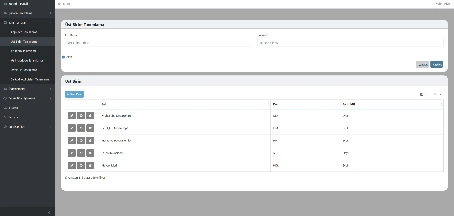
The screen where the fields to be used in the corporate archive structure are defined. The user sets the "Archive Location Name," "Type" (character, numeric, date, etc.), and "Mandatory Status" information to create archive templates.
Index Template Definition
The management screen where index fields are determined for different document types. By selecting a "Document Type," the user can view existing index fields or define new index fields.
Archive Location Definition
The screen where the document storage points within the corporate archive structure are defined.
Sub-Unit Definition
The screen where sub-units linked to parent units are defined. By selecting the parent unit it belongs to, the user can set the sub-unit name, barcode information, and active status.
Data Catalog Definition
The screen where data catalogs belonging to sub-units are created. By selecting a sub-unit, the user can set the catalog name, barcode, and active status.
Document Type Definition
The screen where document types are defined in relation to the data catalog. The user can set the document type name, barcode information, qualified status, and whether OCR (Optical Character Recognition) will be applied.
Capability Cards
Everything Document Archiving Requires,
in a Single Platform
The main modules from the documentation were organized into corporate summary cards within the existing page structure.
Archive Location
Archive Location Template Definition
The screen where the fields to be used in the corporate archive structure are defined. The user creates archive templates by setting the "Archive Location Name," "Type" (character, numeric, date, etc.), and "Mandatory Status" information.
Index Template
Index Template Definition
The management screen where index fields are determined for different document types. By selecting a "Document Type," the user can view existing index fields or define new index fields.
Archive
Archive Location Definition
The screen where the document storage points within the corporate archive structure are defined.
Sub-Unit
Sub-Unit Definition
The Sub-Unit Definition area lets you track, control, and manage the related process from a single screen in line with corporate workflows.
Data Catalog
Data Catalog Definition
The Data Catalog Definition area lets you track, control, and manage the related process from a single screen in line with corporate workflows.
Document Type
Document Type Definition
The Document Type Definition area lets you track, control, and manage the related process from a single screen in line with corporate workflows.
Barcode Code
Barcode Code List Definition
The Barcode Code List Definition area lets you track, control, and manage the related process from a single screen in line with corporate workflows.
Map Sheet Conversion
Map Sheet Conversion
The Map Sheet Conversion area lets you track, control, and manage the related process from a single screen in line with corporate workflows.
Resources
Explore our promotional materials
Access presentation and promotional content about E-Archive: Digital Document Management from this area.
PDF
E-Archive: Digital Document Management Presentation File
A promotional file summarizing the product's core capabilities and corporate use cases.
View Presentation
Video
Promotional Video
Quickly review the working logic and core screen flow of the E-Archive: Digital Document Management solution.
Watch VideoProduct Tour
Explore E-Archive: Digital Document Management
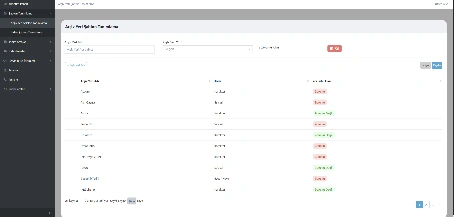
Archive Location Template Definition
The screen where the fields to be used in the corporate archive structure are defined. The user creates archive templates by setting the "Archive Location Name," "Type" (character, numeric, date, etc.), and "Mandatory Status" information.
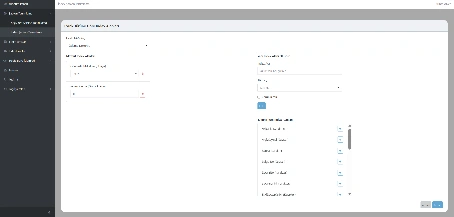
Index Template Definition
The management screen where index fields are determined for different document types. By selecting a "Document Type," the user can view existing index fields or define new index fields.
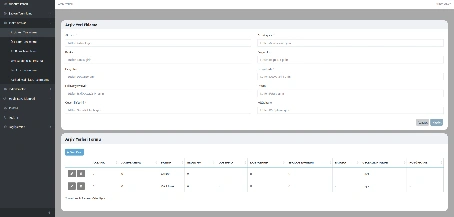
Archive Location Definition
The screen where the document storage points within the corporate archive structure are defined. The user can create new archive records by entering information such as bank name, file number, document date, and validity period.
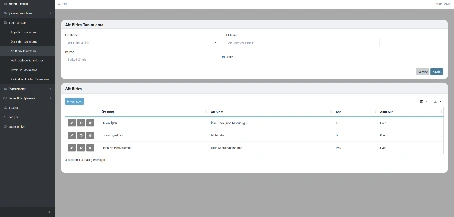
Sub-Unit Definition
The screen where sub-units linked to parent units are defined. By selecting the parent unit it belongs to, the user can set the sub-unit name, barcode information, and active status.
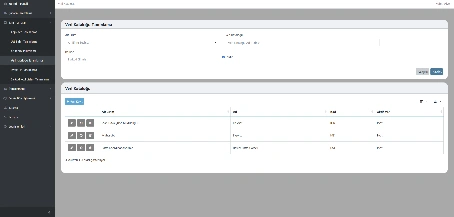
Data Catalog Definition
The screen where data catalogs belonging to sub-units are created. By selecting a sub-unit, the user can set the catalog name, barcode, and active status. The defined catalogs enable systematic management of data types and their contents.
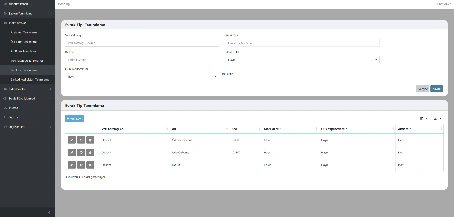
Document Type Definition
The screen where document types are defined in relation to the data catalog. The user can set the document type name, barcode information, qualified status, and whether OCR (Optical Character Recognition) will be applied.
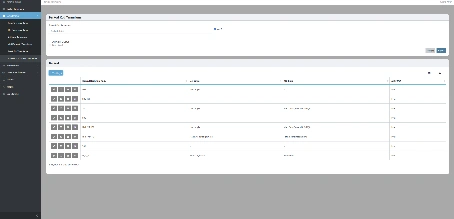
Barcode Code List Definition
The screen where barcode codes specific to documents and units are defined. The user can set the barcode start code and associate it with parent and sub-units. An automatic barcode generation option is also available for users who prefer it.
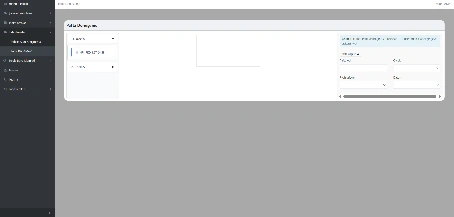
Map Sheet Conversion
The screen that georeferences TIFF-format map sheets uploaded to the system after scanning. After entering the map sheet name, the user selects the four corner points on the image to define projection, datum, and scale information.
Control Operations
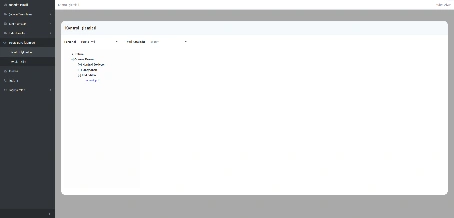
The screen where the accuracy of documents is checked after scanning and indexing. Filtering can be done per staff member, and documents belonging to the selected data catalog are listed under three statuses: Pending Control, Approved, and Rejected.
Scanning
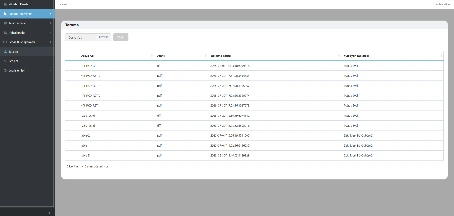
The screen that enables physical documents to be transferred to the digital environment. The user selects a file and performs the upload; the system lists the file name, extension, upload date, and uploading user information.
Archive Structure
Enables the classification, inventorying, and secure storage of physical and digital documents. File plans, unit codes, and document types are standardized within the system.
Format Support
Supports all common file formats, including PDF, TIFF, JPEG, DOCX, XLSX, and XML. Document viewing and conversion operations are performed in an integrated manner.
FAQ
Quick answers about E-Archive: Digital Document Management
The product's core use cases and corporate contribution are summarized here.
Get in TouchE-Archive: Digital Document Management is a corporate solution that unifies institutions' physical and digital archive processes on a single platform, digitizing document management, scanning, indexing, control, delivery, and reporting steps end to end.
It enables the classification, inventorying, and secure storage of physical and digital documents. File plans, unit codes, and document types are standardized within the system.
All scanned, indexed, controlled, and received documents can be reported on a per-transaction basis; performance can be tracked per user.
It works integrated with Electronic Document Management System, Enterprise Resource Planning, Public Expenditure and Accounting Information System, Land Registry and Cadastre Information System, Central Civil Registration System, and qualified electronic signature services; document verification and process management are carried out automatically.
It provides full compliance with the Electronic Signature Law (Law No. 5070), the Regulation on State Archive Services, and in-house archive standards.
It reduces your archive costs to zero. You no longer use files, documents, paper, or staples. It lowers your staffing costs. You can manage your archive without depending on the archiving service providers and their personnel. By integrating the data with your other systems, you can minimize bureaucracy, time, and labor costs.
E-Archive: Digital Document Management
Digitize Your
Processes, Increase Control
E-Archive: Digital Document Management is a corporate solution that unifies institutions' physical and digital archive processes on a single platform, digitizing document management, scanning, indexing, control, delivery, and reporting steps end to end.
Archive Structure
Format Support
Detailed Reports
Integration Compatibility